Why did Outlook go down on 12 November 2026?

Listen to this post · 3 min
Read aloud by a synthetic voice.
Your inbox wasn’t broken, and neither was your laptop. Here’s what actually happened, in plain English, and what to do if your email still feels off.

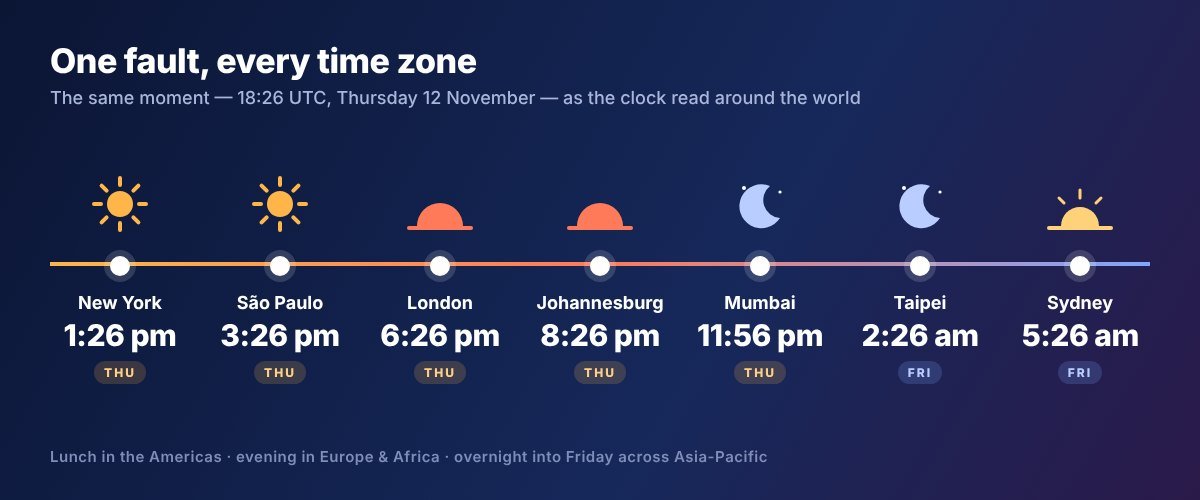
If Outlook just spun and spun on Thursday, you had plenty of company. Starting around 18:26 UTC on 12 November (lunchtime in New York, evening in London, the small hours of Friday in Taipei and Sydney), Microsoft’s Outlook email, mostly work and school accounts, began failing. In the US alone, roughly 130,000 people reported Outlook problems on Downdetector at the peak, and Microsoft soon warned that users “in any region” could be affected.
It wasn’t only email. Teams, SharePoint, Copilot and Microsoft’s Defender security tools got dragged in too, because they lean on the same back-end systems.
So what actually broke?
The short answer: a big chunk of Microsoft’s own servers dropped out at once.
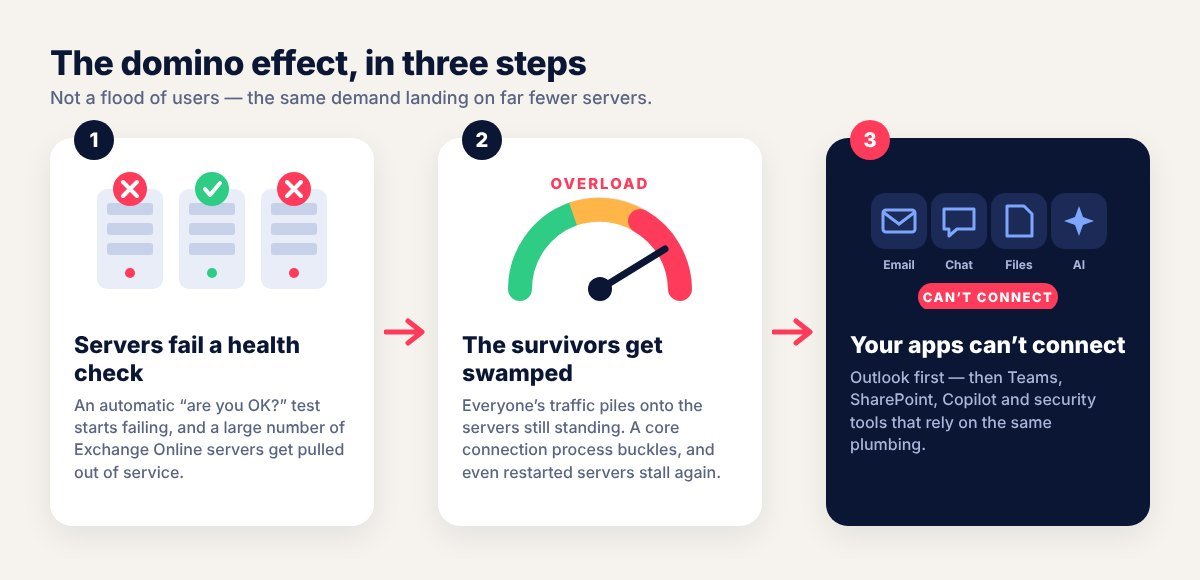
Exchange Online, the service that stores and delivers work Outlook mail, runs on vast pools of servers. Each one constantly answers an automatic “are you healthy?” check. On Thursday, a large number of them started failing that check and were pulled out of service. Exactly why they started failing is still under investigation.
Then the dominoes fell. The servers still standing had to carry everyone else’s traffic, and they buckled. Microsoft was clear this wasn’t a sudden rush of users; it was normal demand landing on far fewer machines. Later updates said a core process that sets up secure connections was getting overwhelmed, so even freshly restarted servers could freeze again the moment traffic hit them.
Was it a hack?
Nothing points that way. A Microsoft spokesperson said there was “no indication this is a cyber attack,” and everything the company has shared describes an internal infrastructure failure, not malicious traffic.
How is it being fixed?
Slowly, with a few false starts. Microsoft admitted some early fixes didn’t bring the “anticipated relief.” Engineers paused deployments, shifted traffic to healthier routes, tested a different health-check method, restarted servers in batches and began reversing a recent network settings change that lined up with the start of the trouble. By Friday morning in Asia, servers were coming back and staying up, but Microsoft hadn’t declared the incident over or named a final root cause. (For your IT team: incidents EX1550543 and MO1550821.)
What should you do?
- Don’t reinstall Outlook or reset your password. The fault is on Microsoft’s side; local fixes won’t help.
- Give it time. As capacity returns, apps reconnect gradually. Microsoft hasn’t reported lost mail, but check anything urgent and resend if it never arrived.
- Go to the source. status.cloud.microsoft carries Microsoft’s updates even when your company’s admin pages won’t load.
- Watch for scams. Outages bring out fake “verify your account to restore email” messages. Don’t sign in through links like that.
- Keep a plan B. A phone list or a second chat channel turns the next outage into a shrug instead of a crisis.
The bigger lesson is an old one: when the whole office runs on one cloud, a single bad afternoon in a data centre is felt on every continent. When Microsoft publishes its post-incident review, that’s where the real “why” should finally be spelled out.
Filed under Leisure
Get NeatRead's best posts in one weekly email
One email a week, no password. Unsubscribe anytime.
or continue with email
With email, we send you a sign-in link.
By joining, you agree to the Terms and Privacy Policy.
Comments
No comments yet. Start the conversation.
Sign in to comment. It takes an email address, no password.