Why is eReader hardware so old, and why does the page wait?
Listen to this post · 5 min
Read aloud by a synthetic voice.
You tap. Nothing. Then a black blink, and finally the next page. Here is what is really going on inside that slab of electronic paper, and what you can change tonight.
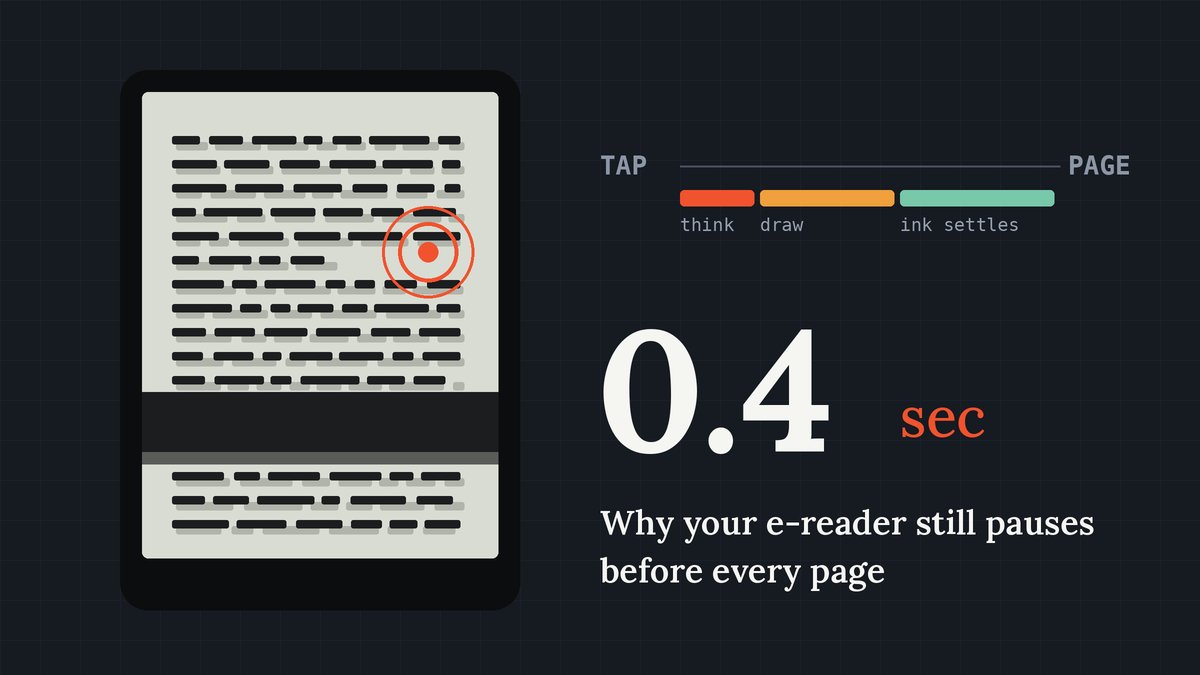
I read on the train most mornings, and for years one small thing bugged me. My phone reacts to a thumb faster than I can notice. My e-reader, which costs about the same as a decent pair of headphones, still makes me wait a beat on every single page. Over a 300-page novel, that beat adds up.
So I went looking for the reason. The short version: the slowness is partly physics, partly business, and partly a set of settings most of us never touch.
The screen is moving real stuff
Your phone screen is a grid of tiny lights. Changing what it shows means switching those lights, which happens up to 120 times a second.
An E Ink screen works nothing like that. Each dot holds millions of white and black pigment particles floating in clear fluid. White carries one electric charge, black the other. To draw a letter, the device applies a voltage and the particles physically travel to the top or bottom of their capsule. You are watching matter move, not light switch.
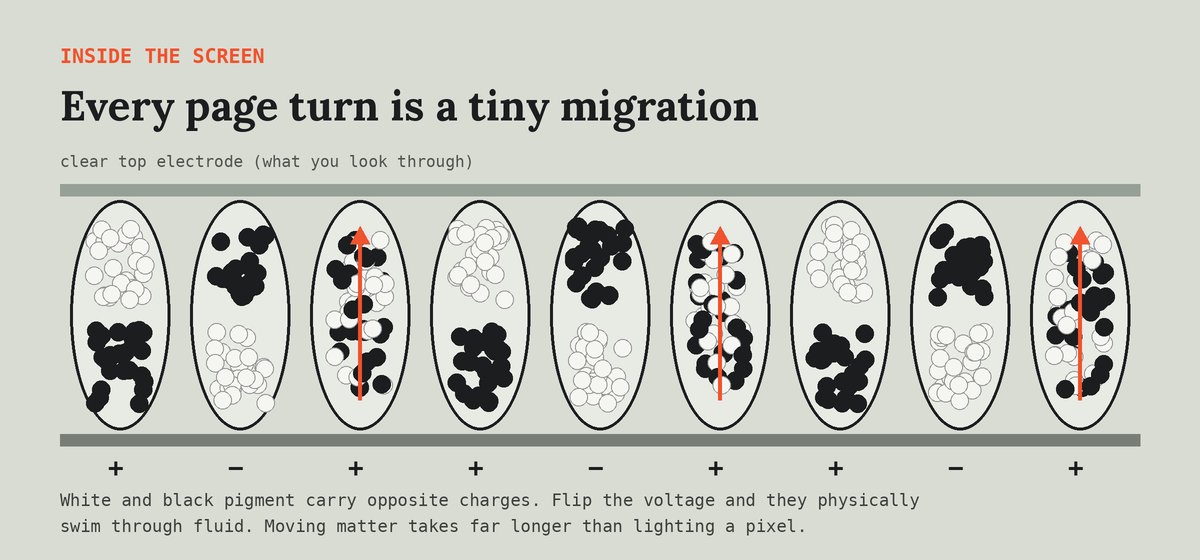
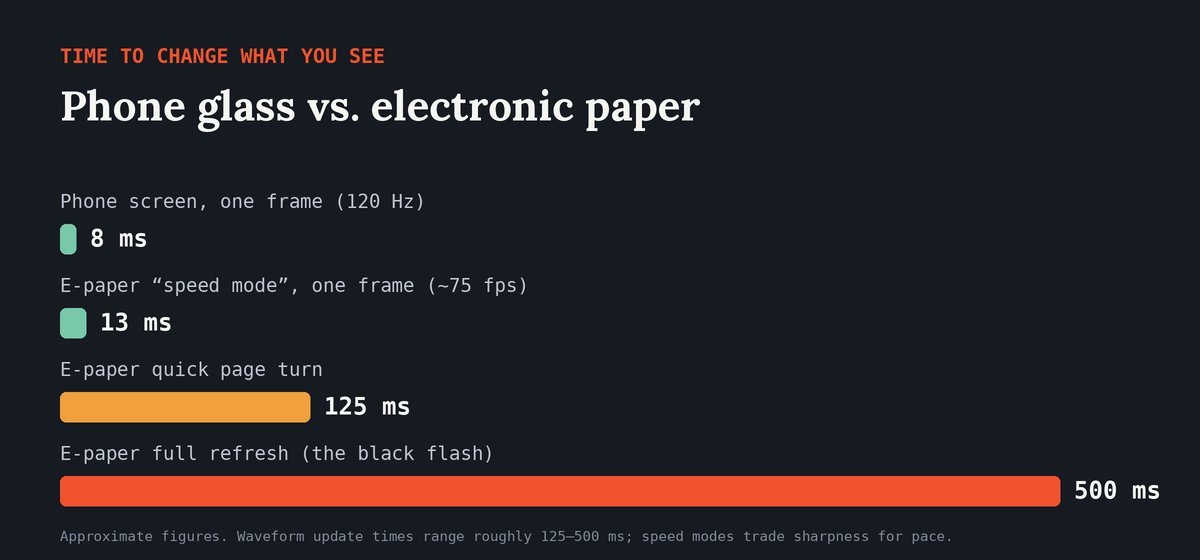
That trip takes time. Engineers drive it with a recipe called a waveform, a precise sequence of voltage pulses. Depending on the waveform, a page update typically takes somewhere between about 125 and 500 milliseconds. A phone frame takes about 8.
The famous black flash is deliberate too. Quick updates leave faint traces of the previous page, called ghosting. Every so often the screen does a full refresh, shaking every particle back to a clean state. It costs you half a second and buys you crisp text.
So why not just put in a faster chip?
This is where the "old hardware" feeling comes from, and it has three causes.
Battery is the selling point. People buy e-readers because they last weeks on a charge. A fast phone processor burns power even when idle, so most makers choose small, frugal chips and keep them for years.
It is a small market. Phones sell in the hundreds of millions each year. E-readers sell far fewer. Chipmakers design for the big market first, so e-reader brands often build on processors that were mainstream several years earlier, because those are cheap, proven and well supported.
Price wars. Big stores sell readers cheaply and earn their money on books. That leaves little budget for premium parts. A faster chip helps, but only up to a point, since the ink itself sets the floor.
There are signs of change. Some newer Android-based readers now ship with phone-class processors and "speed modes". In August 2026, Bigme launched a 6-inch reader with an octa-core MediaTek chip and up to 75 frames per second for scrolling. The catch: those modes trade some sharpness for speed, and big chips drain batteries faster.
What you can do about it
You do not need a new device to get a snappier one. These changes take about five minutes and work on most brands, from Kindle and Kobo to PocketBook, Boox and Tolino.
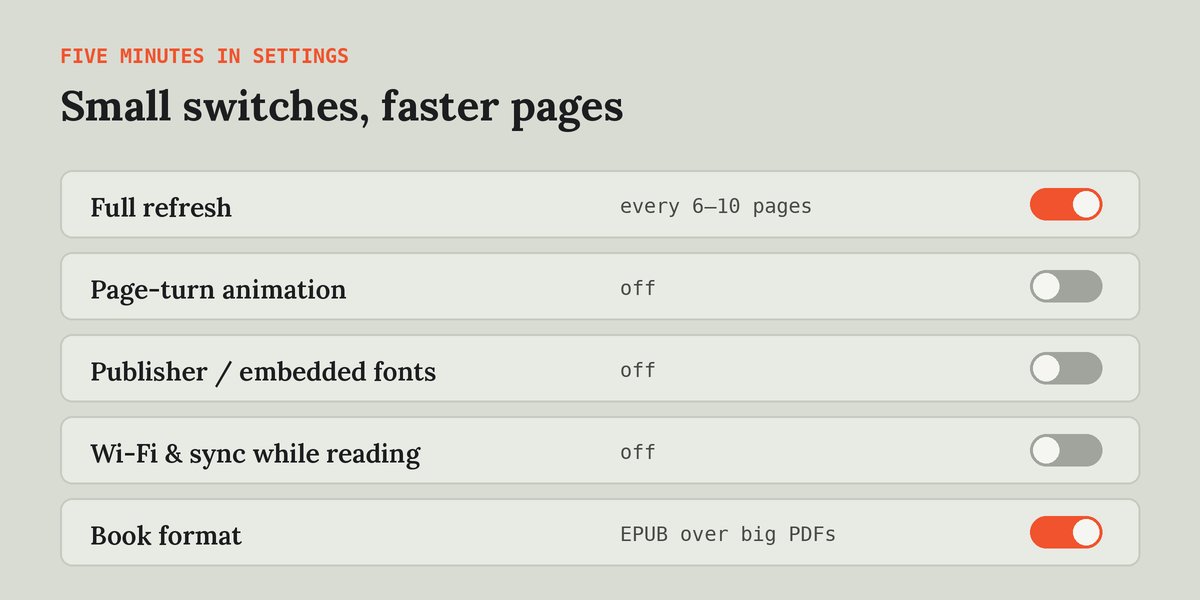
- Change the full-refresh setting. If your reader flashes every page, set it to refresh every 6 to 10 pages instead. If you see ghosting, go the other way. Find the balance your eyes like.
- Turn off page-turn animations. Curl and slide effects look nice on tablets but force e-paper to draw extra frames.
- Switch off publisher fonts. Books with embedded fonts make the chip work harder on every page. A built-in font is usually faster, and often more readable.
- Read offline. Background syncing and store updates compete with your page turn. Airplane mode while reading speeds things up and saves battery.
- Prefer EPUB or the store's own format. Big scanned PDFs are the slowest thing you can open. If you have a choice, pick the reflowable version of the book.
- Keep it tidy. Install system updates, which often tune waveforms. Keep some storage free, and restart the device once in a while if it feels sluggish.
- Tap early. This is my favourite habit. Tap as you start the last line, not after you finish it. The page lands just as your eyes arrive, and the delay quietly disappears.
When it is time to upgrade
If your device is five or more years old, has no refresh setting, and stalls even on plain novels, a newer model will feel like a different product. Look for a recent screen generation, honest reviews that mention page-turn speed, and a refresh setting you can control. If you mostly read comics or PDFs, an Android reader with a speed mode is worth a look. If you read novels, a simple reader with good battery life is still the smarter buy.
The pause is the price of a screen that looks like paper and lasts for weeks. You cannot remove it, but with a few settings and one small habit, you can stop noticing it.
Comments
No comments yet. Start the conversation.
Sign in to comment. It takes an email address, no password.